How can I find my Order ID?
Updated
Your Order ID is automatically generated once your purchase is successfully completed.
Order Confirmation Email
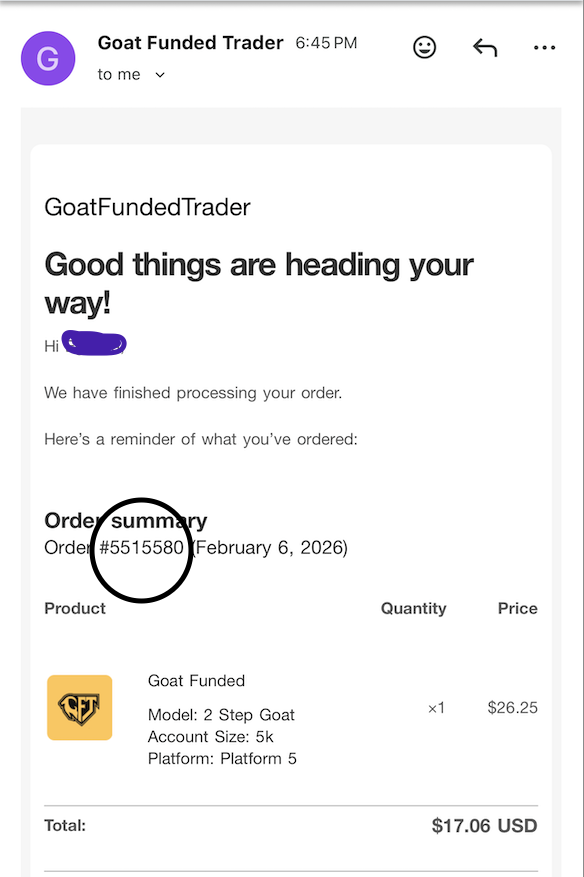
- After completing your purchase, you will receive an Order Confirmation email sent to the email address used at checkout just as below.
- Open the email and scroll to the Order Summary section.
- Your Order ID is displayed just below the order summary as circled below.
If you don’t see the email, please check your Spam / Promotions folder.
Still can’t find your Order ID?
If you are unable to locate your Order ID, please contact our support team and provide the following details:
- Email address used for the purchase
- Approximate date of purchase
- Payment method used
- Screenshot or proof of payment
Providing this information will help us locate your order faster and assist you efficiently.